Third Time, as Code
A NextWork DevOps Challenge project rebuilt from ClickOps and CloudFormation into modular Terraform, with a load balancer, alarms and a cost budget on top.
Archived · ~$47/month
- Terraform
- CodePipeline
- CodeBuild
- CodeDeploy
- CodeArtifact
- EC2
- ALB
- CloudWatch
- SNS
- S3
- IAM
- AWS Budgets
This project began with NextWork's 6-Day DevOps Challenge, which walks you through building a real CI/CD pipeline: a Java web app built, tested and deployed to an EC2 server, one AWS service at a time. I liked it enough to build it three times. First in the console, the way the challenge teaches it, then with CloudFormation, then as modular Terraform with a load balancer, alarms and a cost budget added on top. It's an extension of the challenge, not a replacement for it. Everything has since been destroyed, so there's no live demo, only the write-up below and my project on NextWork.
34 resources · 11 modules · 1 follow-up plan, 0 drift
Context and goals
The challenge is hands-on from the first day. You set up each service yourself, so by the end you know what CodeBuild, CodeDeploy and CodePipeline actually do and how they hand work to each other. You can see my challenge project on NextWork ↗.
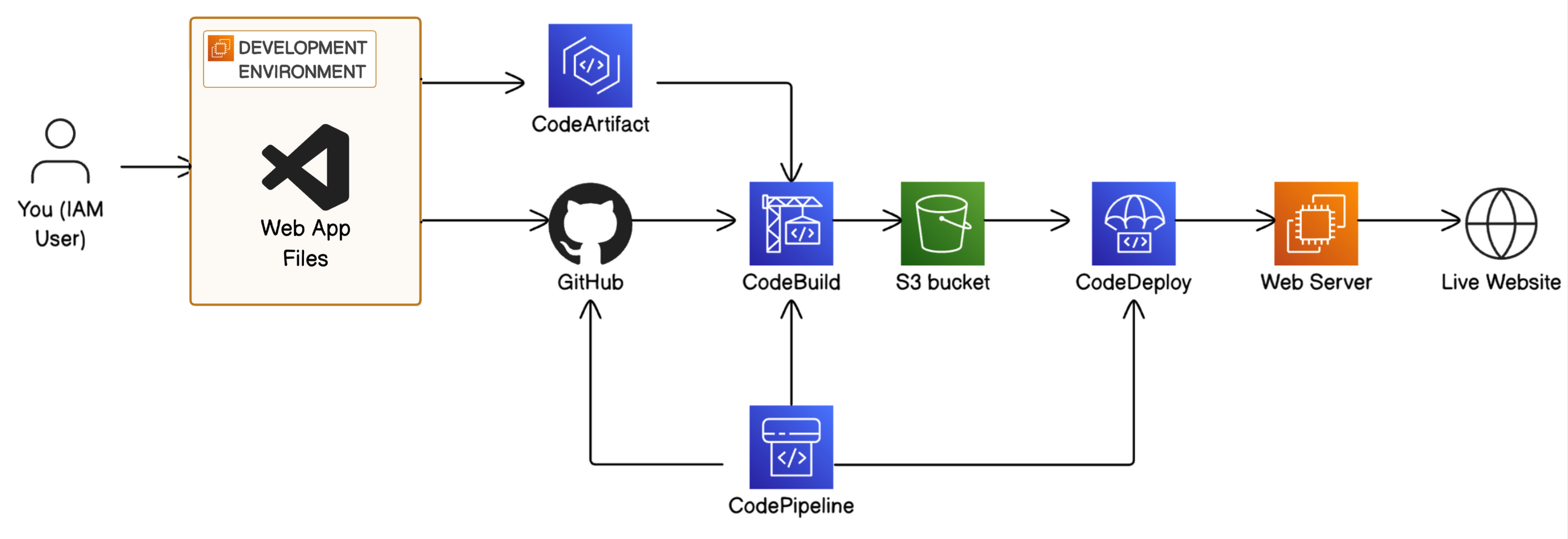
I also completed both of its secret missions in the CloudFormation build: adding an automated test step to CodeBuild, and triggering a manual rollback in CodePipeline to confirm the app reverted.
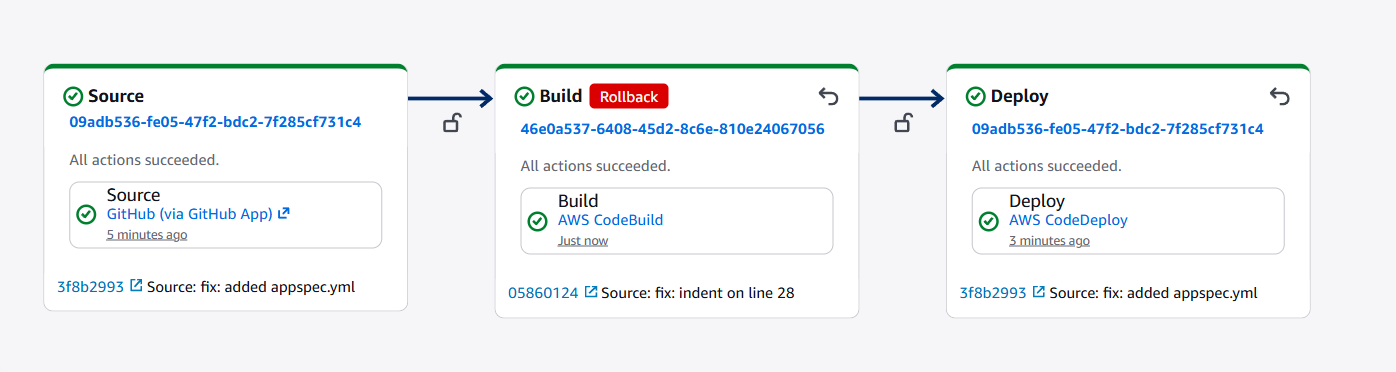
Building it in the console first is what made the Terraform version possible. I knew what every piece was for before I wrote a line of it. The next step was to see how far I could take it as code. What I was aiming for:
- Rebuild the whole pipeline from a repo, with nothing left to remember or click
- No GitHub token stored anywhere in the pipeline
- A server nobody can SSH into
- Something that tells me when it breaks, and a bill that warns me before it surprises me
Things I deliberately skipped: HTTPS (more on that under Security) and more than one server. The web app is the one the challenge provides, and I kept the focus on the infrastructure around it.
Requirements and constraints
| What | Target | Why |
|---|---|---|
| Reproducible | One apply builds everything |
I'd already built it twice and wanted a version I could rebuild without thinking |
| No stored GitHub credentials | Connection authorized once in the console | A token in a variable is a token that leaks |
| No SSH | Server reachable only through SSM Session Manager | Nothing to brute-force, no keys to lose |
| Tagged | Every resource carries the same four tags | So the budget can filter by tag, and I can find leftovers |
| Disposable | Safe to destroy when I'm done | It's a learning environment and I'm paying for it |
Tech stack
| Layer | What I used |
|---|---|
| Infrastructure as code | Terraform (>= 1.10), AWS provider ~> 5.70 |
| Pipeline | CodePipeline V2, CodeConnections (GitHub), CodeBuild, CodeDeploy |
| Build dependencies | Maven, CodeArtifact |
| Server | EC2 (t3.micro, Amazon Linux 2023), Tomcat 9, Corretto 8 |
| Traffic | Application Load Balancer, HTTP on port 80 |
| Operations | CloudWatch alarms, SNS, AWS Budgets |
| Storage and access | S3 (artifacts and state), IAM, SSM Session Manager |
Architecture
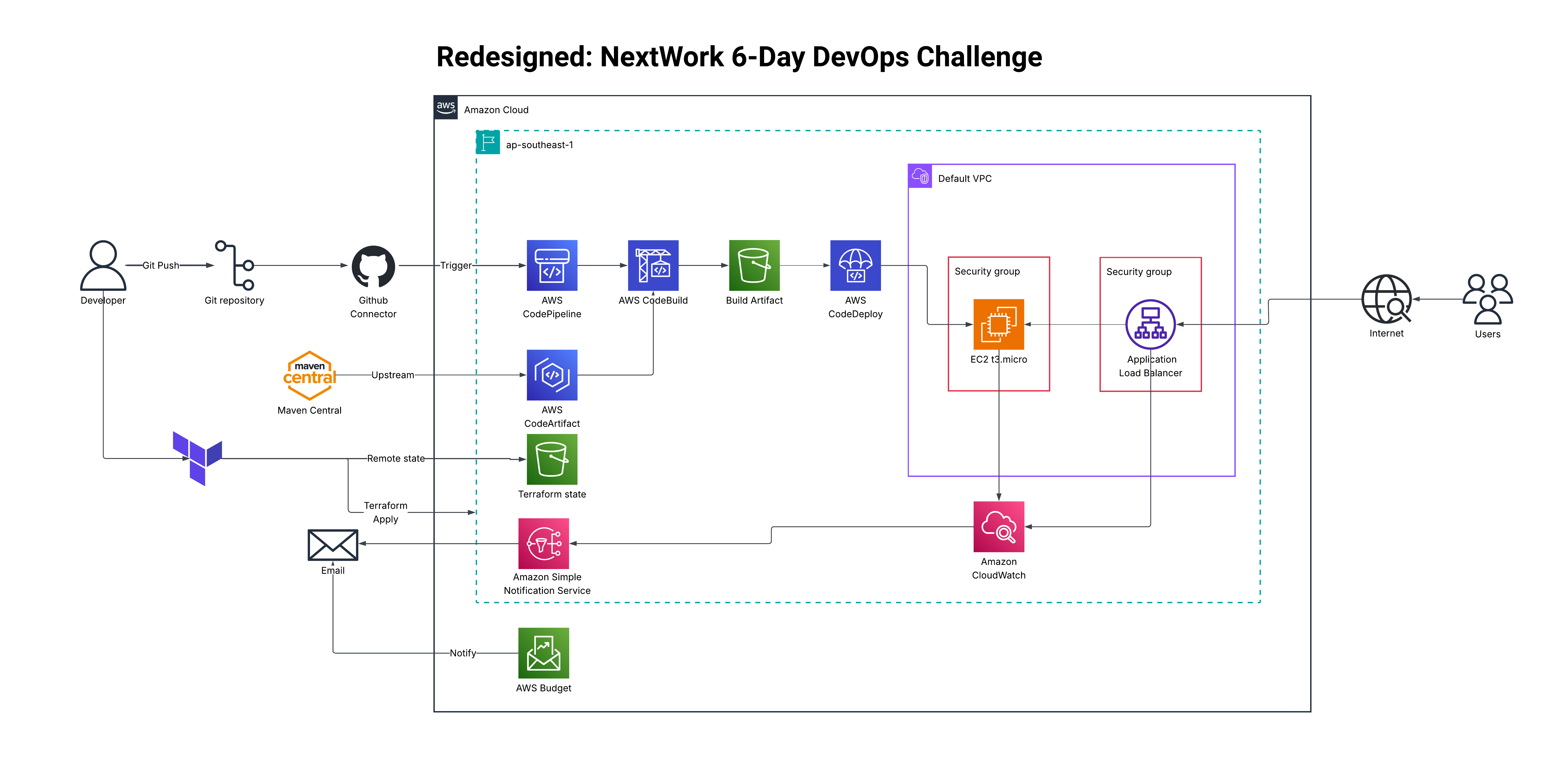
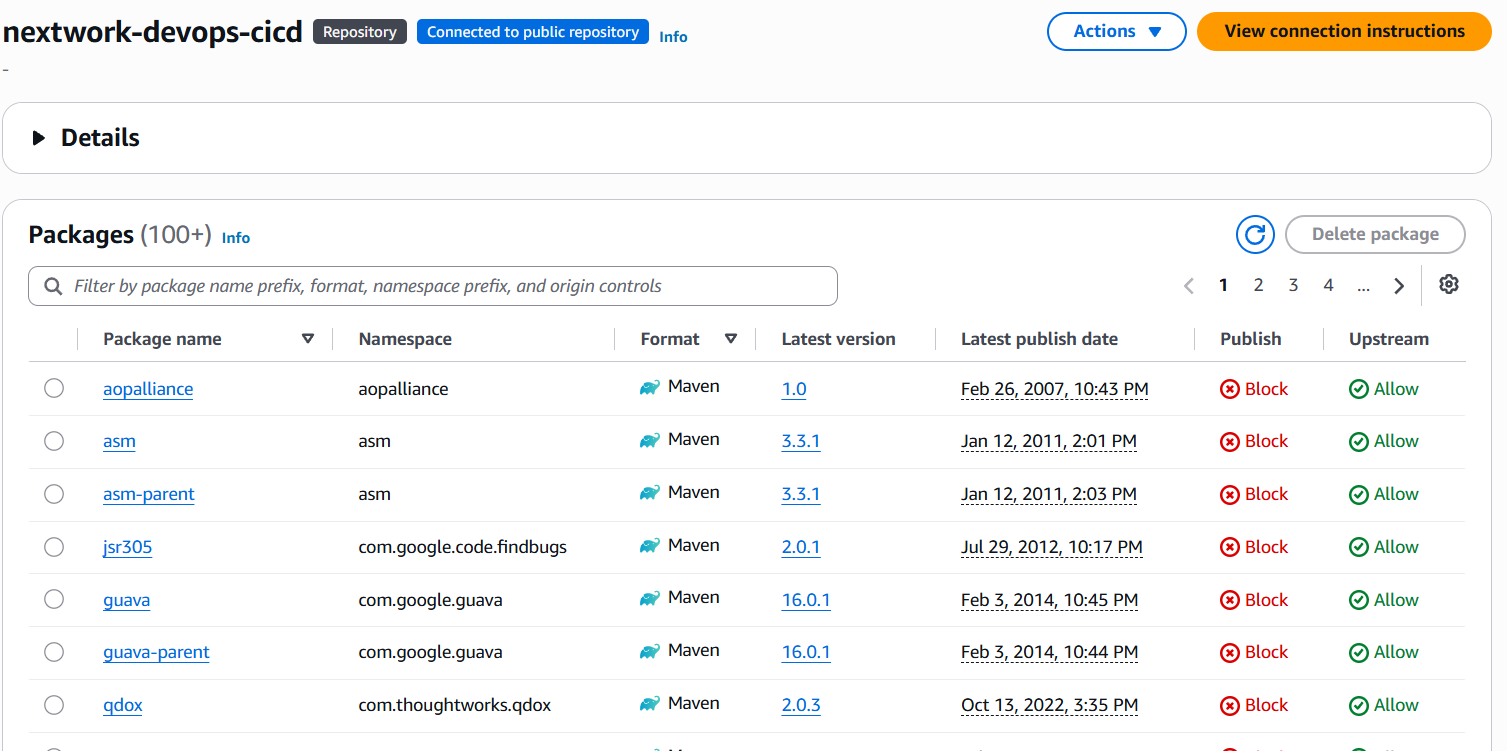
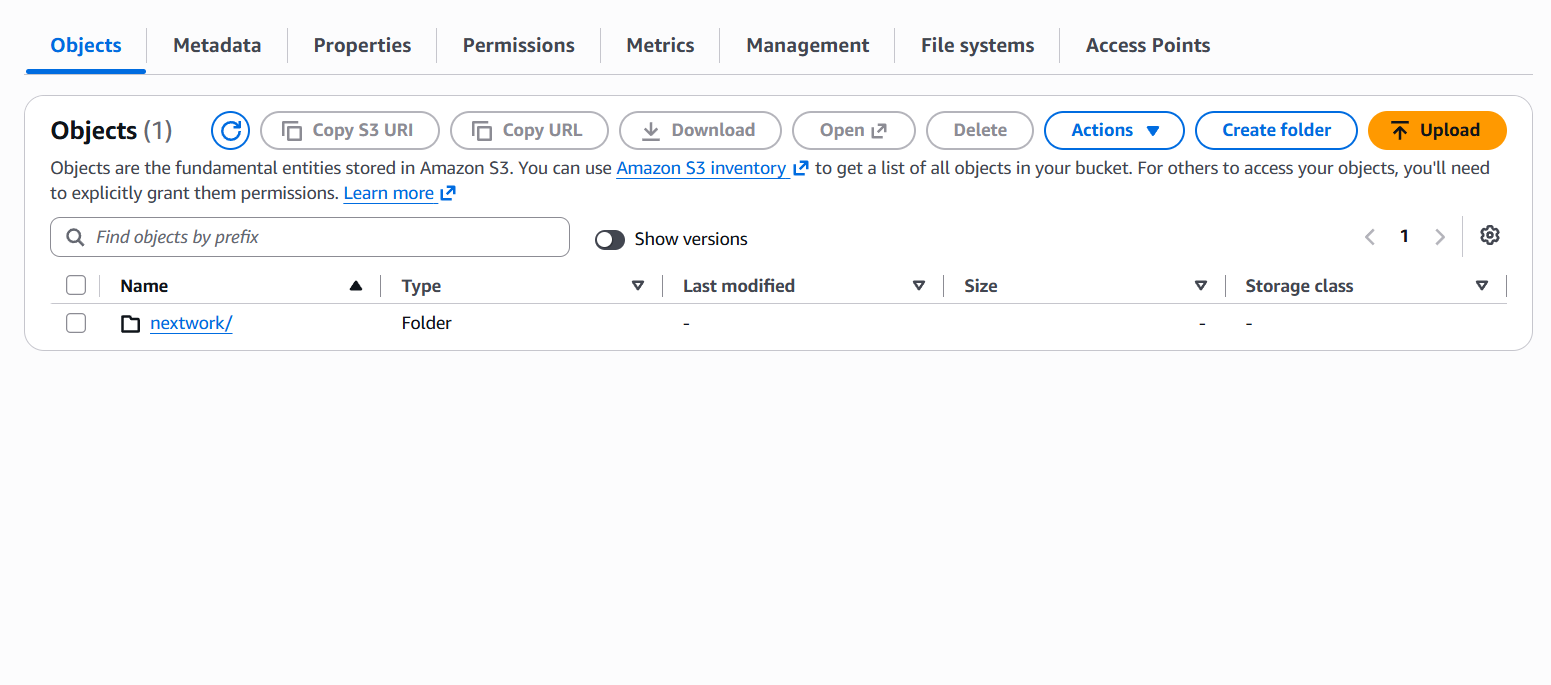
Source to build. A push to GitHub starts CodePipeline through a CodeConnections link. CodeBuild gets its source from the pipeline itself, so it never needs a GitHub token of its own. It runs Maven, pulls dependencies through CodeArtifact, and writes the build to an S3 bucket.
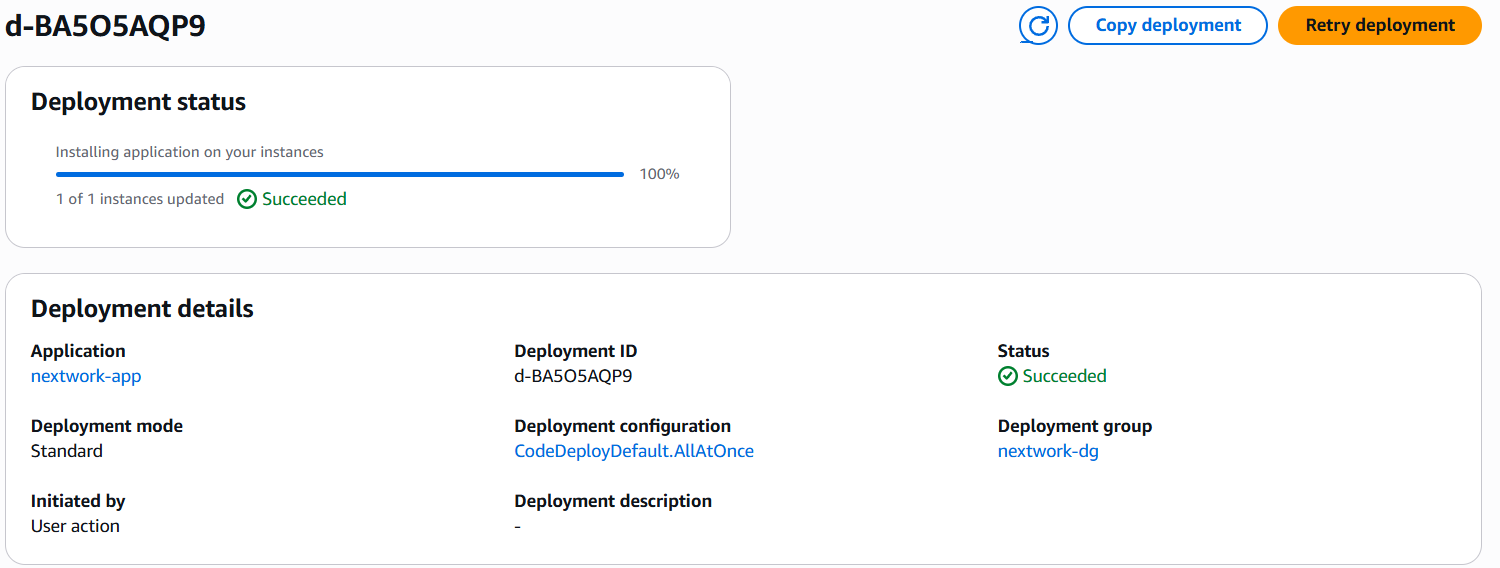
Deploy. CodeDeploy takes the build from S3 and installs it on the EC2 instance, in place. If the deployment fails, it rolls back on its own.
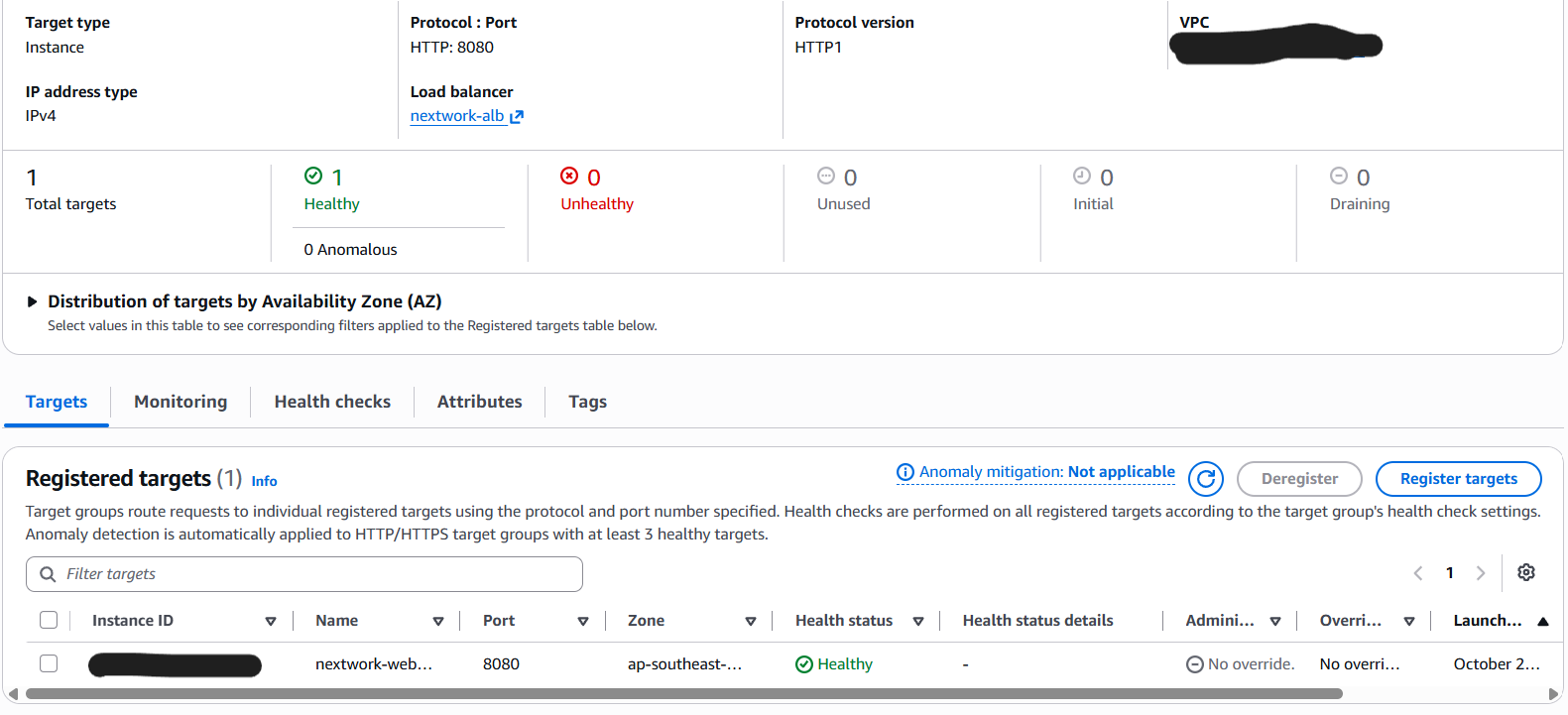
The server. One t3.micro running Amazon Linux 2023. A user_data
script installs Corretto 8, Tomcat 9 and the CodeDeploy agent on first
boot. The Tomcat port is open only to the load balancer's security
group.
In front. An Application Load Balancer listens on HTTP port 80 and forwards to the instance.
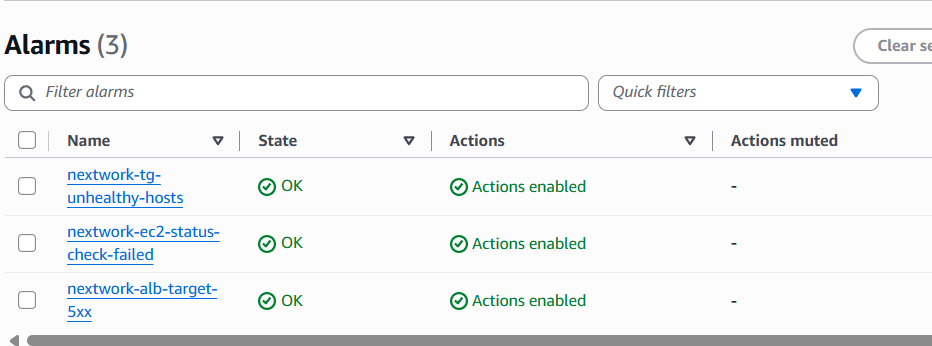
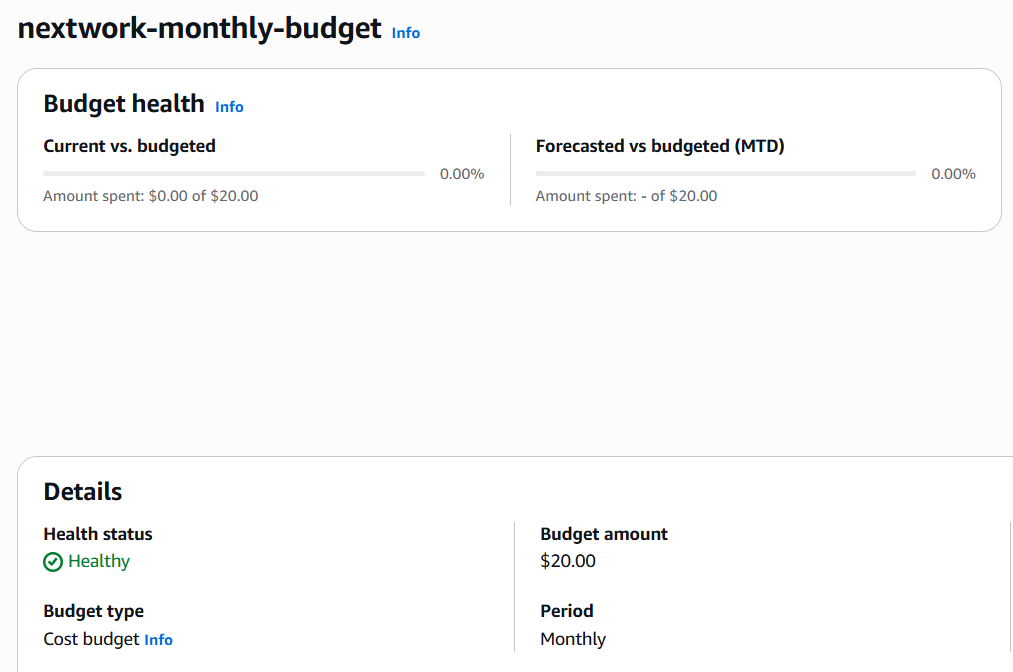
Watching it. Three CloudWatch alarms publish to one SNS topic. A monthly AWS Budget filtered by a cost-allocation tag sends alerts at 50%, 80% and 100%.
Behind the scenes. Terraform state lives in an S3 bucket with native
locking (no DynamoDB table, which needs Terraform 1.10 or newer). A
separate bootstrap config creates that bucket, with prevent_destroy
on it so I can't delete my own state by accident.
Design decisions
Eleven small modules instead of one big file
Network lookup, artifacts, CodeArtifact, security groups, web server, CodeBuild, CodeDeploy, pipeline, ALB, monitoring and budget each get their own module. For a project this small that's more structure than strictly needed, but it keeps inputs and outputs explicit and lets the root file read like a table of contents.
The pipeline never holds a GitHub token
The GitHub link is a CodeConnections connection. Terraform creates it in a pending state and I authorize it once in the console. CodeBuild is sourced from the pipeline, so it doesn't need credentials either. The trade-off is that one manual click can't be automated away, which is a price I'll take over a stored secret.
SSM instead of SSH
The instance has no SSH key and no port 22 rule. The instance role has the SSM managed policy, and if I need a shell I open a Session Manager session. I don't have to manage keys or maintain an allowed-IP list.
Tags as a guardrail, not decoration
The provider's default_tags puts Project, Environment (dev), Owner
and ManagedBy on every resource. That means no resource can forget
them, and the budget can filter on the cost-allocation tag. It also
makes leftovers easy to find after a destroy.
Rollback on by default
CodeDeploy is set to roll back automatically if a deployment fails. It's a single setting and it's the kind of safety net I'd want on from the first deploy, not added after the first bad one.
Security
- No GitHub token in the pipeline. The connection is authorized once in the console
- No SSH. Access is through SSM Session Manager only
- The app port accepts traffic only from the load balancer's security group
iam:PassRoleis scoped to the CodeBuild role only, instead ofResource: *- The S3 state bucket has
prevent_destroy - Honest limitation: I ran Terraform from my laptop using static IAM user access keys. Those keys are a real weak spot. The next step is to move to IAM Identity Center for local runs or OIDC for a CI-driven apply
- Also: the ALB listens on HTTP only. There's no HTTPS or ACM certificate, which is fine for a short-lived learning stack and wouldn't be acceptable for anything real
Cost
This is an estimate, not a bill. I worked it out from the resources the Terraform creates and ap-southeast-1 on-demand prices, assumed a month of continuous running with almost no traffic, and rounded up. The stack is destroyed, so I'm not paying any of this now.
| Item | What it is | $/mo |
|---|---|---|
| Application Load Balancer | Hourly charge plus a minimum of load capacity | ~$24 |
| Public IPv4 addresses | Roughly three: the instance and the load balancer's subnets | ~$11 |
| EC2 t3.micro | The web server | ~$10 |
| EBS, S3, CodeBuild, CloudWatch, SNS | 8 GB volume, small buckets, a few builds, three alarms | ~$2 |
| CodePipeline, CodeConnections, CodeDeploy, CodeArtifact, Budgets | Free tier or pennies at this volume | ~$0 |
| Total | ~$47 |
The surprise is where the money goes. The server is only about a fifth of it. The load balancer and the public IPv4 addresses, charged by the hour whether or not anything is using them, make up the rest. That's why I destroyed the stack as soon as I'd verified it. The budget is $20 a month, well under this estimate, so leaving the stack up for a full month would trip every alert.
Failure modes and recovery
Errors encountered
I ran into plenty of errors across the three builds. These are the ones worth writing down, because each one changed how the code is written.
| # | Build | What I saw | Why it happened | What I changed |
|---|---|---|---|---|
| 1 | CloudFormation | My stack wasn't where I expected it | I deployed into the wrong region | Pinned the region so it can't drift |
| 2 | Terraform | The first build failed with 401 errors from CodeArtifact | The app repo still hardcoded the old CodeArtifact domain and repository names | Exposed both names as variables |
| 3 | Terraform | The pipeline ran and failed straight after apply |
It starts automatically, before I'd authorized the pending GitHub connection | Authorize the connection first, then release a change |
If it breaks while running
| Component | What goes wrong | Who feels it | What's in place |
|---|---|---|---|
| Deploy | A bad release goes out | Anyone using the app | CodeDeploy rolls back automatically |
| Instance | It fails its status check | Anyone using the app | An alarm emails me through SNS |
| Load balancer target | The instance goes unhealthy | Anyone using the app | An alarm on unhealthy targets emails me |
| App | The load balancer returns 5XX errors | Anyone using the app | An alarm on ALB 5XX emails me |
| Cost | The bill climbs | Me | A budget is configured to alert at 50%, 80% and 100% |
The alarms work: I've received alert emails from them through SNS. I haven't seen the budget alerts fire, so those are configured, not verified.
Deployment pipeline
Push to the main branch, and CodePipeline runs three stages. Source pulls the code through the GitHub connection. Build runs Maven in CodeBuild with dependencies from CodeArtifact. Deploy hands the artifact to CodeDeploy, which installs it on the instance in place.
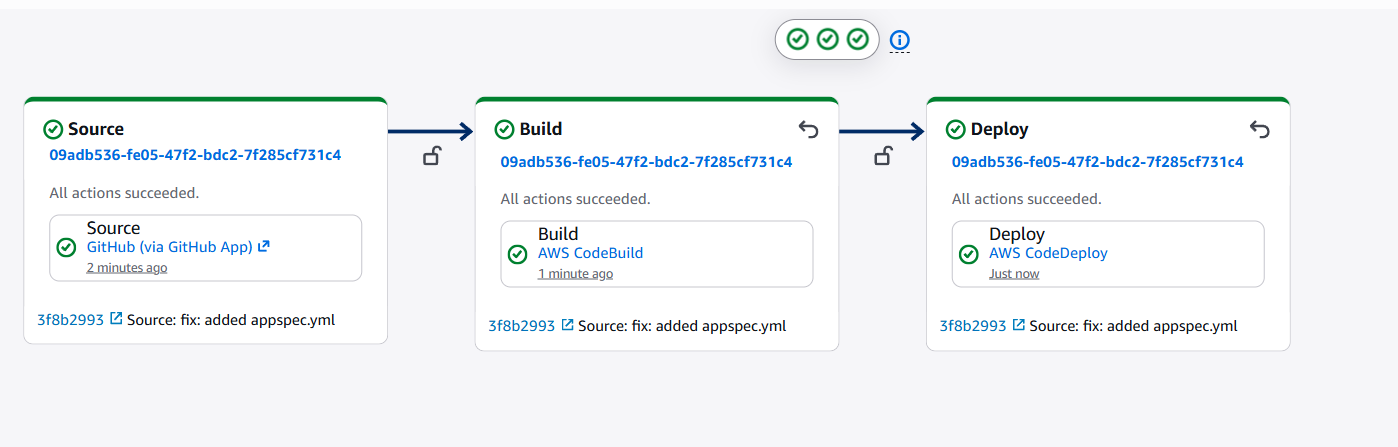
The Terraform side is separate. I ran it locally in two steps:
bootstrap once to create the state bucket, then the main config.
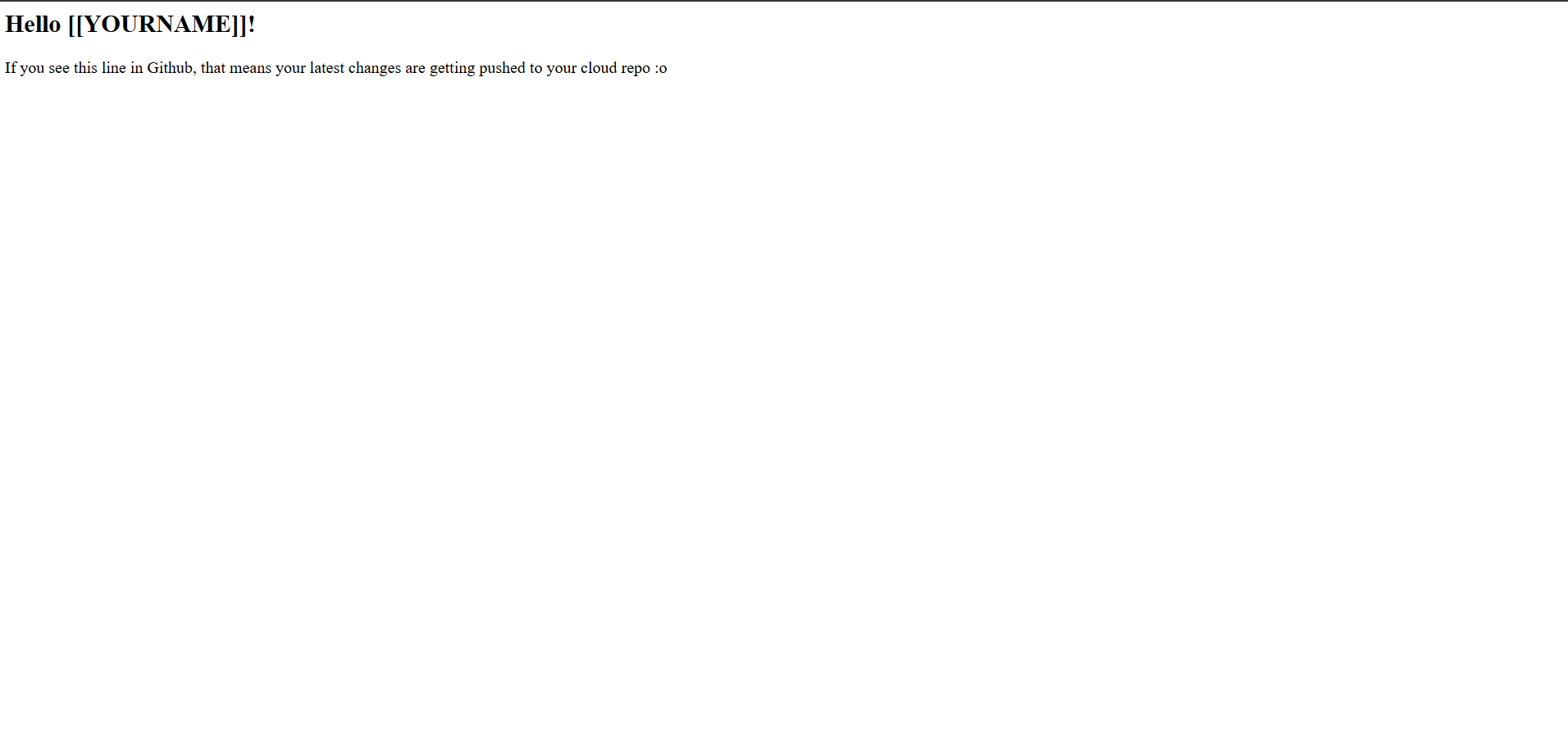
Result: 34 resources applied, the pipeline went green end to end, the
ALB returned 200 with a healthy target, and a follow-up plan showed no
changes. After that I destroyed everything.